Added – Genealogy eBooks through Amazon’s Kindle
March 26, 2010 by Administrator · Leave a Comment
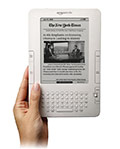
Just a few minutes ago, I finished adding another page to the site, this one is a new page (I’m still behind on updating some of the old pages), and it covers a topic that I’ve been very interested in lately – genealogy-related eBooks. Specifically it covers genealogy ebooks through Amazon’s Kindle – it’s only covering eBooks you can download for Amazon’s Kindle platform – the actual Kindle eBook readers, the Kindle software for Mac or PC, or for Kindle on iPhone or BlackBerry. I’ll be expanding it to cover other eBook readers (Barnes and Noble Nook, etc.) and getting third-party materials on the Kindle in later articles/entries.
One thing that surprised me – no genealogy magazines in the Kindle format. That’s one area I’d like to see a few publications try out – perhaps Family Tree Magazine or some of the others. I know that some magazines are either stopping publication, or have already stopped publication of their print editions (these past few years have been hard on a lot of companies), but there are still some genealogy-related magazines around.
I’d also like to see back issues somehow made available through services like the Kindle – don’t ask me how that would work. I just know I have a stack of older magazines that would make for great light reading if I had all of them on an eBook reader (or an iPad for that matter). You name it, I’ve got it – Everton’s, Family Tree Magazine, Ancestry, plus some of the smaller publications not to mention some of the UK publications I’ve bought over the years. While some of those have ceased publication, some companies have made their back-issues available in digital formats and you can easily (in my view) get the PDF-formatted files over to the Kindle, but I’d like to see it expanded. I think there is a market if they were reasonably priced. A lot of magazines had a lot of quality writing and interesting/unique articles. Given how tough things have been, I would think that more companies would be looking into trying to make more money from their older materials.
Read more
MobileTree 1.1, plus MobileTree Lite
March 25, 2010 by Administrator · Leave a Comment
Note: You may need to be a member of Church of Jesus Christ of Latter Day Saints in order to use this iPhone or iPod Touch app – it uses their genealogy database and this app requires login credentials for New.FamilySearch.org. This app will also not display information from living individuals.
Version 1.1 is a major update to MobileTree, a front-end to the LDS’ New.FamilySearch.org. MobileTree allows you to download and take your genealogy information with you. Along with the major update comes a major price change – from $4.99 to $9.99 US. The major update revolves around multimedia functionality (aka a media center). You can now add photos, movies, audio, and text to the genealogy information you have available through the app. You can also share any of those media files that have been added to ancestor entries. There are also some performance updates.
Changes:
* Use MobileTree to create pictures, stories, video and audio.
* Share pictures, stories, audio interviews and video clips with others in your family.
* Bug fixes.
* Price change.
Apparently there will soon be a “lite” version – MobileTree Lite, that will cost $2.99 and will function the same as the full version, just without media functionality/media center.
- While you can edit/add information, keep in mind that it’s similar to Ancestry.com Tree to Go in being a front-end to a genealogy website/database.
MacJournal for iPhone Announced
March 24, 2010 by Administrator · Leave a Comment
I know quite a few people who use Mariner Software’s MacJournal journaling software on their Macs for tracking genealogy research. Now they can take it with them wherever they go – Mariner Software has announced a mobile version of MacJournal for the iPhone (and iPod Touch). It costs $4.99 and is available now.
It does allow you to edit and add data and then have it synchronize with MacJournal on your desktop or laptop Mac. You’ll need to have MacJournal running on your Mac and have it be on the same wireless network as you are. From there it looks to be fairly easy – simply select the Mac once you’ve touched the Sync button. There are a few limitations – you can only sync with non-encrypted journals for now, and it only allows for image and text entries being synced. Both of those limitations are due to limitations with the iPhone / iPod Touch, and might be remedied in future iPhone OS updates.
It does support both landscape and portrait modes, and it has a search function for going through previous entries.
I used to use MacJournal and can recommend it for a lot of people. I’ve since moved to Evernote (Evernote.com
) as it offered some functionality I needed at the time and still do (mainly cross-platform – Mac, Windows, Web, iPhone), but I can see quite a few people who will be able to use this.
Read the announcement: Mariner Software
MacJournal for iPhone Download (Price = $4.99): ![]()
Samsung Galaxy S, 32GB microSDHC, Android Development
March 23, 2010 by Administrator · Leave a Comment
Samsung has decided to make a Google Android-based phone it’s high-end mobile device/phone. It’s a victory for Android fans and adds another really powerful mobile phone into the mix of those looking to get into smartphones.
It offers a 1GHz processor, 3D graphics (mapping, etc.), Assisted GPS, a 5MP camera capable of HD video recording, Bluetooth 3.0, and 8GB or 16GB versions with support for a 32GB memory card (see below). It’s focused on a 4-inch 800×480 Super AMOLED touchscreen display. It’ll be available sometime later this year.
Link: Samsung Unpacked
Speaking of Android, AdMob, a mobile advertising network, took a survey concerning development on various mobile platforms. While the survey was limited in number (just over 100 responses), it was interesting since these are actual developers. Some notes of interest:
- 31% of developers are developing for more than one mobile platform
- More than 70% of iPhone developers who responded said they would develop for Android over the next six months, while around half of the Android developers were planning on developing for the iPhone.
- Nearly half are new to mobile platforms.
Link: Metrics.Admob.com
It’s interesting since over the last few years, we’ve seen an explosion in development for platforms that are not Windows Mobile or Palm-based. Whether it’s going to carry over into genealogy software development, I don’t know. If you look at the iPhone-related genealogy applications, the highest-profile apps are from existing third party developers for Apple’s Mac OS X who already have genealogy applications available for the desktop/laptop. Even Ancestry.com’s Tree to Go is from a company already involved with genealogy software (Family Tree Maker, among other things). Still, the iPhone opened up the door and we have developers new to the genealogy scene, and the same can be said of the Android platform. Even if we don’t see a lot of new genealogy-specific software, we’ll still see plenty of software that any genealogist can use – navigation, photo storage and management, etc.
Finally, If you have $199 to spare, a phone or other mobile devices that supports microSDHC (possibly including the above Samsung Galaxy S), and a need to carry around a lot of photos, video, music, and data, your ship has arrived. SanDisk announced a 32GB microSDHC card today. Right now it’s available in the United States (and probably Canada) as well as Europe. By the end of next month, it should be available worldwide. Link: SanDisk
Site Update and Some Notes (March 16, 2010)
March 16, 2010 by Administrator · Leave a Comment
Notes on site re-design
As you can see, there is a new design. It should load a little faster, but more importantly should allow for easier navigation in finding what you need. If you have any problems or questions, please contact us. For the first time since the site went live in 2004, there are now mobile-friendly options for those users who are browsing through a mobile device (iPhone, Windows Mobile, etc.) and using a mobile/cell phone connection (whether it be EDGE or 3G).
I’ll be making some tweaks over the next few days – if anything looks weird, do a browser refresh. If it still looks weird contact us.
Internet Explorer 6 (and 7)
We’re aware that the new site design doesn’t look too good under Internet Explorer 6 (a few things are offset) along with one image that’s offset in Internet Explorer 7, however less than 10% of the visitors are running IE 6, and from a technical and genealogist point of view – I would say upgrade to a newer version of Internet Explorer, or Apple’s Safari, or Google Chrome. You’re liable to come across other genealogy-related websites these days that don’t work too well under IE 6 as it is, along with potential security risks that may crop up with running an older browser (nearly 10 years old). I understand however, that many cannot upgrade for one reason or another, so we will work to try and iron out any bugs with IE 6 and will definitely be taking care of the IE 7 image problem very shortly.
What’s next?
We are now at the point where we will be adding several genealogy applications and genealogy-related software entries that we don’t already list, so bear with us. Once we are finished with that (should be less than a day or two), we’ve got a few other little things to add (that we’ll talk about later) and then we can start in on normal blogging/writing about genealogy and mobile devices. I personally have a good dozen or so articles and commentaries I’ve been walking around with in my head that I’m looking forward to writing and posting, among other things. Mobile computing is a big deal to me, and I’m happy to share my own experiences and hopefully help others out.
And then?
Some cool things. First and foremost, to help people out with solutions to genealogy research while trying to stay “light and portable” with your equipment. Nobody likes dragging around a lot of electronic gear to various locations such as cemeteries and libraries unless it’s going to be 100% useful in your genealogy/family history research.
Finally
While I’m still adding to it, please check the about page to get a sense of what MobileGenealogy.com is about. Also know this: All platforms are welcome here. It may seem like the iPhone dominates, but it does so only through the sheer number of applications available for it. Disclaimer: I have and use an iPhone, but this site originally started out covering Palm and Windows CE/Windows Mobile devices. For all we know, a year from now Google’s Android platform may have grown by leaps and bounds in the genealogy software arena, and we’ve still got the highly-anticipated Windows Mobile 7 release later this year (hopefully).

