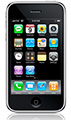
 Earlier today, Apple discussed its highly-anticipated iPhone OS 4, the next major software upgrade to hit the iPhone/iPod touch/iPad lines. It will ship this summer for the iPhone and iPod Touch, and later in the fall for the iPad. Pay attention: It’s only going to be available for the iPhone 3G, iPhone 3GS, iPod touch 2nd generation (late 2008), iPod touch 3rd generation (late 2009 – 32GB/64GB) and eventually the iPad. Yes, the original iPhone is not showing up in that availability list. Apple is touting 100 new features for users and 1500 new APIs for developers in creating their apps.
Was it everything that everybody wanted? No and these kinds of things never will be.
Was it everything that I expected and wanted? Mostly.
There are four major new features that most of us will come into contact with. You could throw in iAd, a new mobile advertising platform for the iPhone OS line as well as gaming additions and enterprise additions, but I’m going to ignore those for now. The major additions, as far as I’m concerned are:
1) Multitasking – this is going to be beneficial to those of us wanting to run VOIP or instant messaging apps while we are doing other things. To me, it’s actually not a big deal, but I think the platform as a whole was in need of it. Yes, you could be messing around in a genealogy application, and assuming everything is coded properly, you could get on Voice-Over-IP or IM and call up a relative or check something out without losing your place.
2) Folders – this is a bigger thing to me – organizing your apps into folders. It allows you to go past the current limit of 180 apps, which is a huge deal, since it’s actually easy to rack up that many apps. For me, it’ll be nice to have my genealogy and genealogy-related iPhone apps all in one folder. Yes, there’s not much difference between going into a folder and say flipping to another screenful of apps, but I was started to run out of slots for more apps.
3) Mail – a unified inbox and the ability to switch between inboxes, organize messages by threads, and open attachments in third-party apps.
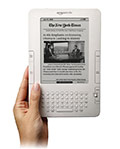
4) iBooks – It will be yet another way to read books on an iPhone or iPod touch, and this is just bringing the iPad’s bookstore down to the level of those devices. This joins the Kindle in things that are cool to have, but may not necessarily be practical in real-world usage, depending on your tolerance for reading on mobile devices.